Drone Gimbal Calibration: Fix Shaky Video in 10 Minutes
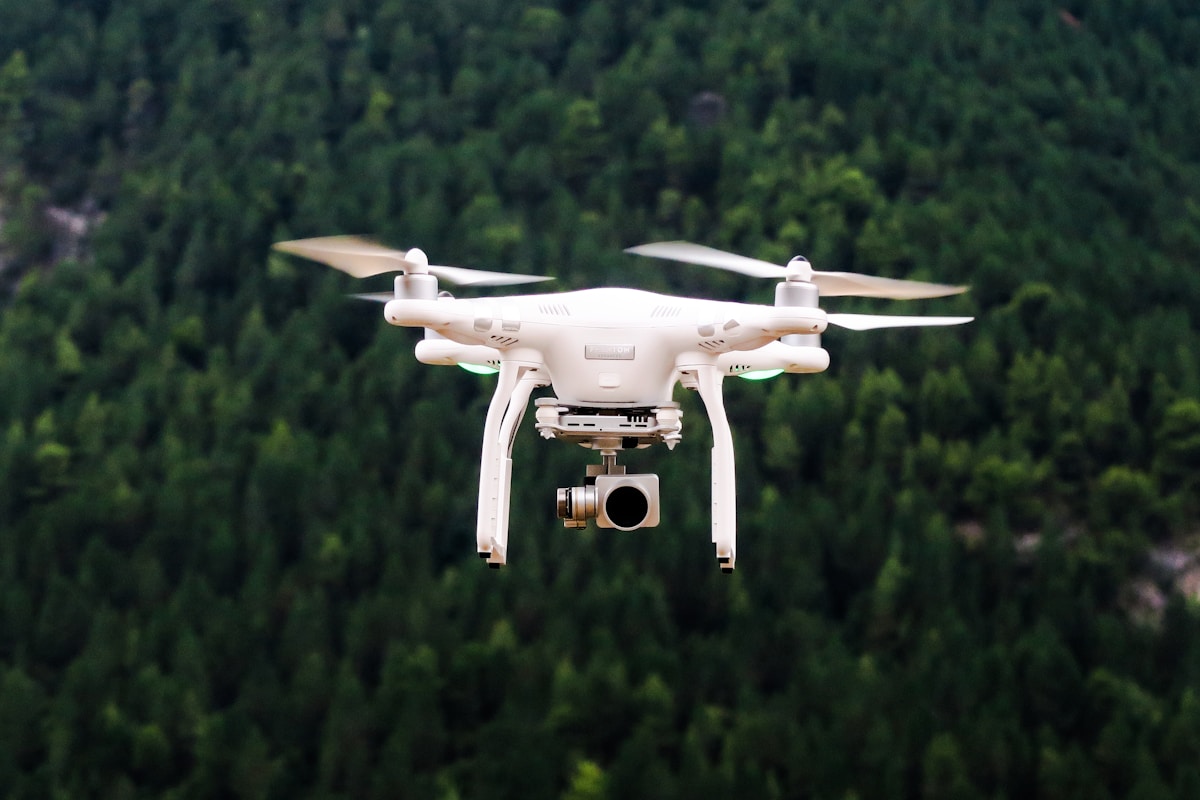
- Primary Signal: Drone Gimbal Calibration: Fix Shaky Video in 10 Minutes
- Overview: Shaky drone footage is usually a calibration problem, not a broken drone. Run through gimbal calibration, balance checks, and the settings that restore smooth video....
- Verification: Analyzed and compiled by FreeSky Aerial editorial monitoring desk.
Nothing ruins drone footage faster than a shaky horizon. Before you assume the gimbal is broken or the drone needs repair, check the most common cause: calibration. A gimbal that has lost its reference points will tilt, drift, or vibrate, and a ten-minute calibration routine fixes most of these problems completely.
Start by understanding what the gimbal does. It is a three-axis stabilized mount that keeps the camera level while the drone moves, tilts, and vibrates. It relies on motors and sensors working together, and it needs to know what level means. A hard landing, a knock in transport, or a firmware update can shift that reference, and the footage shows it immediately.
Before calibrating, do a physical check. Remove any filter or accessory from the camera, check that nothing is obstructing the gimbal's movement, and make sure the gimbal cover is off. A surprising number of shaky footage complaints trace back to a lens cap, a stuck cover, or a filter that unbalances the camera. The gimbal is a precision instrument and it notices extra weight.
Next, place the drone on a flat, level surface and power it on without touching it. Open the gimbal settings in the app and run the auto-calibration routine. The gimbal will move through its full range and reset its level reference. Do not pick up or move the drone during this process. Any movement while calibrating teaches it the wrong level, and you will have to run it again.
If auto-calibration does not fix the problem, check the gimbal's mechanical balance. With the drone powered off, gently move the camera through its range by hand. It should move smoothly without sticking or grinding. Stiffness often means dirt or a small impact has bent something, and that needs a repair shop rather than more calibration.
Also check your flight settings. Some drones offer a gimbal mode setting that controls how quickly the camera follows the drone's movement. A fast follow mode produces jerky footage during turns, while a slow, smooth mode keeps the horizon steady. For video work, the slowest follow setting almost always looks best.
Finally, test after calibration with a short hover flight. Record thirty seconds of hovering and slow movement, then review the footage on a larger screen, not just the phone. Look for a level horizon, smooth pans, and no vibration. If the footage is clean, the job is done. If vibration remains at certain speeds, it may be a propeller balance issue instead, which is a separate and equally easy fix.
If calibration, balance checks, and settings changes all fail, the problem is likely hardware. Warning signs include grinding or clicking sounds from the gimbal, a camera that sags to one side when powered off, visible damage to the gimbal arms, or vibration that appears at all speeds and worsens over time. These point to worn motors, damaged bearings, or a bent arm, none of which calibration can fix.
Do not attempt to open the gimbal yourself unless you have experience with precision electronics. The motors and ribbon cables inside are fragile, and a home repair often turns a simple part replacement into a full gimbal replacement. Contact the manufacturer or an authorized repair shop, describe the symptoms and what you have already tried, and get a quote before authorizing work. A gimbal repair is usually far cheaper than a new drone, and a repaired gimbal flies like new.
Gimbal calibration is routine maintenance, like checking tire pressure. Run it after any hard landing, after firmware updates, and whenever footage starts looking off. Ten minutes of calibration protects every minute of video you shoot afterward, and smooth footage is the difference between a clip you keep and a clip you delete.
📖 Continue Reading the Full Story
Continue reading this article on FreeSky Aerial.
⚡ Access Full Content NowMore from FreeSky Aerial



 ⚡ CyberTech 568
Internet Latency Test: How Fast Is Your Connection?
Test your internet latency free. Get accurate ping measurements and learn what your numbers mean for gaming an...
 🤖 WinBar AI
Instagram Reels Downloader for PC: Save Reels Free Online
Download Instagram Reels to your PC free — no app, no login. Paste the reel link and save in HD quality straig...
 ☁️ FreeSky Cloud
ROI & Value Audit: GST Calculator — Add or Extract GST & VAT (Day 15 Guide)
How to save time and eliminate guesswork with GST Calculator — Add or Extract GST & VAT on FreeSky Cloud. Disc...
 🔭 FreeSky Cosmos
How to See Saturn's Rings With Binoculars: A Practical Beginner's Guide
Saturn's rings are visible in ordinary 10x50 binoculars if you know what to look for and hold them steady. Thi...