Drone Remote ID Rules in 2026: What Every Pilot Needs to Know
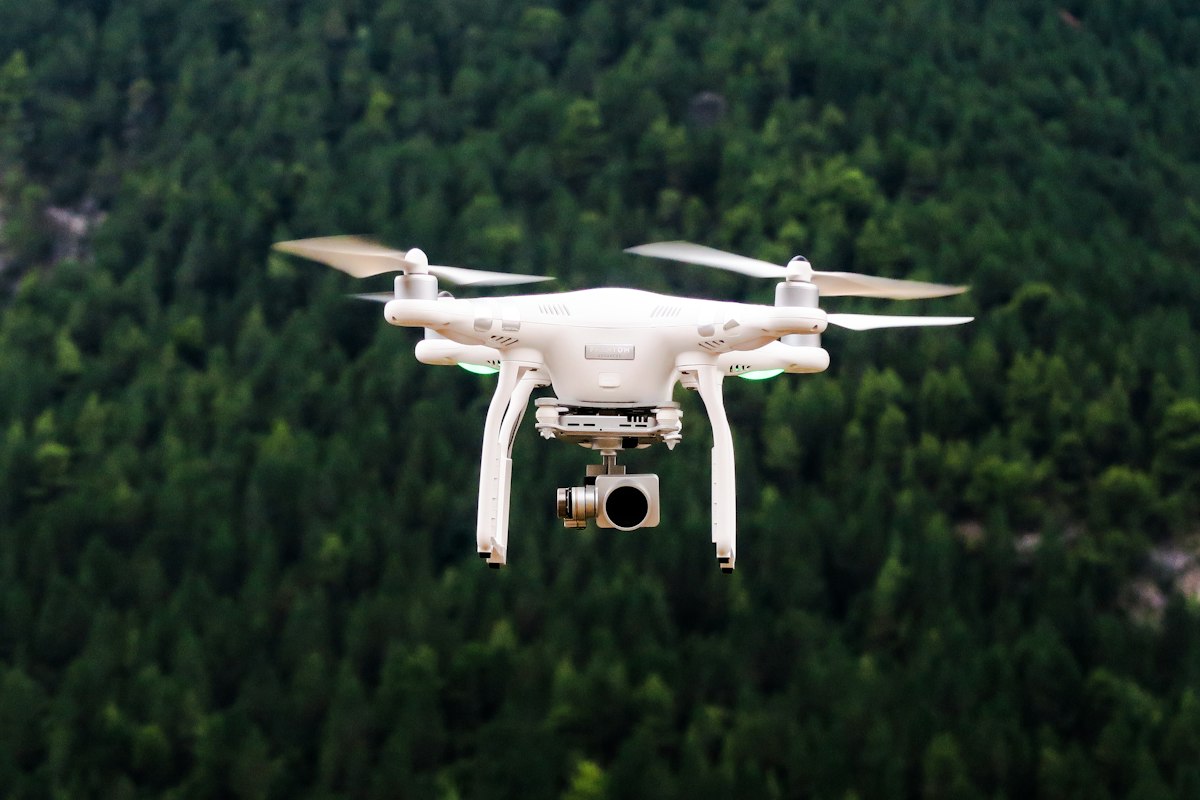
- Primary Signal: Drone Remote ID Rules in 2026: What Every Pilot Needs to Know
- Overview: Remote ID turns your drone into a digital licence plate, broadcasting its identity and location in flight. Here is who needs it, how it works, and what changed in 2026....
- Verification: Analyzed and compiled by FreeSky Aerial editorial monitoring desk.
Remote ID is the rule that changed drone flying more quietly than any other: since it took effect, most drones flown outdoors in the United States must broadcast their identity and location, like a digital licence plate in the sky. The idea is simple — authorities and other airspace users should be able to tell who is flying a drone and where it is — but the details confuse a lot of pilots. Which drones need it, what happens if yours does not have it, and what is changing in other countries in 2026? This guide answers all three.
What Remote ID Actually Does
A Remote ID broadcast sends out a small packet of information several times a second: the drone's unique identifier, its current latitude, longitude and altitude, its speed, the location of its control station, and a time stamp. Anyone with a receiver app within range can read it, and law enforcement can use it to identify the operator of a drone flying where it should not be. The broadcast is one-way — it does not send video, it does not phone home to the manufacturer, and it does not track you after landing. It is closer to a car's number plate than to a tracking device.
Most drones built in the last few years broadcast Remote ID natively, through standard firmware — if your drone was sold after the rule took effect, it almost certainly complies already. Older drones can be brought into compliance with a small add-on broadcast module, a device roughly the size of a matchbox that attaches to the airframe and broadcasts on the drone's behalf. The module costs a modest amount and weighs little, which makes it a practical fix for a favourite older drone rather than a reason to replace it.
Who Needs It and Who Does Not
In the United States, the FAA requires Remote ID for all drones that must be registered — that is, drones weighing 250 grams or more flown outdoors, plus any drone flown for commercial purposes regardless of weight. Recreational drones under 250 grams are exempt, which is one more reason the sub-250-gram class is so popular with travellers. There are two narrow exceptions: drones flown inside a recognised identification area, such as a model aircraft club field, and drones flown entirely indoors. Everything else outdoors needs to broadcast.
Other countries are following at different speeds. The UK has made Remote ID mandatory for larger class-marked drones, with a deadline of 1 January 2028 for nearly everyone else. The European Union's framework points the same way, and Australia's regulator has been reviewing registration and identification rules, with recreational registration paused for now. The direction of travel is clear everywhere: identification is becoming a standard part of flying, not an American exception. If you travel with a drone, check the destination's rules before you fly, because an exemption at home does not travel with you.
What to Check Before Your Next Flight
First, confirm your drone broadcasts. Check the manufacturer's specifications or the app: most flight apps display a Remote ID status before take-off, and a missing broadcast is usually a firmware or settings issue rather than a hardware problem. Second, keep the firmware updated — Remote ID behaviour has been refined in updates, and an old firmware version can silently fail to broadcast. Third, if you fly an older drone with a module, verify the module is charged, attached, and broadcasting before every flight, and carry the module's documentation when you travel.
A failed broadcast is not a minor technicality: in the US, flying a drone that should broadcast without doing so can lead to enforcement action, and it also removes the protection Remote ID gives you — the ability to prove you were flying legally, in the right place, at the right time. The rule exists so that responsible pilots can be distinguished from reckless ones, and compliance is the cheapest way to stay on the right side of that line.
Frequently Asked Questions
Q: Does Remote ID track where I fly after I land?
A: No. It broadcasts live position during flight only. There is no flight history stored or transmitted by the Remote ID system itself.
Q: My drone is under 250 grams. Do I need Remote ID?
A: For recreational flying in the US, no. But if you fly the same drone commercially, the exemption disappears and Remote ID applies.
Q: Can I add Remote ID to an old drone?
A: Yes, with a broadcast module that attaches to the airframe. It is a practical fix for drones that predate the rule.
📖 Continue Reading the Full Story
Continue reading this article on FreeSky Aerial.
⚡ Access Full Content NowMore from FreeSky Aerial


 🗺️ FreeSky GeoData
Best QGIS Plugins in 2026: 10 Tools That Save Hours on Every Project
A curated, tested shortlist of the best QGIS plugins for basemaps, OpenStreetMap queries, classification, prof...
 🌍 FreeSky Remote
Transcription Jobs From Home With No Experience: Where to Start in 2026
Transcription is one of the easiest remote jobs to start with no experience: you listen to audio and type what...
 🏆 2026 World Cup Central
World Cup 2026 Final at MetLife Stadium: Everything Fans Need to Know
The World Cup Final on July 19, 2026, at MetLife Stadium in New Jersey is the biggest match in football. Ticke...
 ☁️ FreeSky Cloud
Homelab Starter Guide 2026: Build Your First Home Server for Under $300
You do not need a rack of enterprise hardware to start a homelab. A used mini PC, a few free services, and one...