How to Film Cinematic Drone Video: 7 Camera Moves Beginners Can Learn in a Weekend
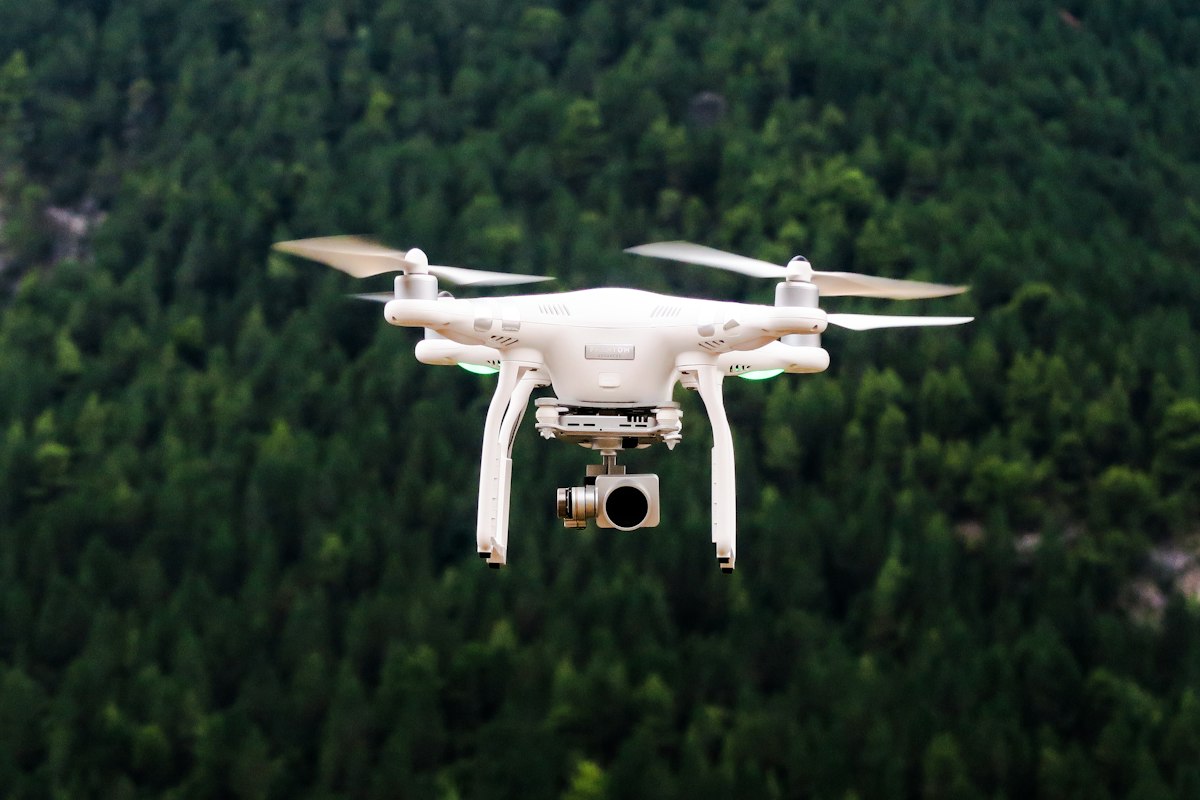
- Primary Signal: How to Film Cinematic Drone Video: 7 Camera Moves Beginners Can Learn in a Weekend
- Overview: Cinematic drone footage is not about the drone. It is about seven slow, deliberate camera moves, and every one of them can be learned in a single weekend of practice....
- Verification: Analyzed and compiled by FreeSky Aerial editorial monitoring desk.
Watch any great drone video and the secret is obvious: the camera barely moves, and when it does, it moves slowly, smoothly, and in one direction. Beginners do the opposite. They fly fast, yaw constantly, and change direction every three seconds, which produces footage that feels frantic and amateur. Cinematic drone video is a set of seven deliberate moves, and each one can be practiced in a single weekend.
The first move is the reveal. Start low, behind an obstacle such as a hill or a line of trees, then rise slowly to reveal the landscape beyond. The second is the orbit: circle a subject at a steady distance and height, keeping the camera locked on it. The third is the push-in: fly slowly and straight toward a subject, which creates a sense of arrival. The fourth is the pull-back: fly away from the subject while rising, which creates a sense of scale. Each of these moves works because it does one thing at a time.
The fifth move is the tracking shot: fly alongside a moving subject, a car, a runner, a boat, at the same speed, keeping it centered. The sixth is the top-down: fly directly above a subject and descend slowly, which turns roads, rivers, and coastlines into abstract patterns. The seventh is the tilt: hover in place and tilt the gimbal slowly from the horizon down to the ground, or the reverse, which works as a transition between scenes. Seven moves are enough for a whole video. Most professional drone films use only three or four.
Speed is the variable that makes or breaks every move. Cinematic footage is shot at walking pace or slower, and the drone's speed settings should be turned down to their lowest cinematic mode before takeoff. Use the lowest stick sensitivity your app allows, and practice each move until you can fly it without thinking about the controls. The goal is footage that needs no stabilization in editing, because the move itself was smooth.
Settings matter as much as flying. Shoot in 4K at 24 or 30 frames per second for the film look, set the shutter speed to roughly double the frame rate, and use an ND filter to achieve that shutter speed in bright daylight. Lock the white balance instead of leaving it on auto, because auto white balance shifts color mid-shot and makes footage hard to grade. Shoot in the flattest color profile your drone offers if you plan to color grade, and in the standard profile if you do not, because flat footage looks bad until it is graded.
The weekend practice plan is simple. Saturday morning, practice one move at a time in an open field, ten repetitions each, and review the footage after every set. Saturday afternoon, combine two moves into a single continuous shot. Sunday, film a short sequence at a real location using only the seven moves, then edit it into a sixty-second video with no music and no effects. If the footage holds your attention without music, the moves are working. If it does not, slow down further. Cinematic is almost always slower than you think.
Sound is the half of drone video that beginners forget, because drones record no usable audio of their own. The whir of the propellers is not a soundtrack, so plan the audio separately: record ambient sound on the ground with your phone, or choose music that matches the pace of the footage. Cut the video to the music rather than laying music over finished cuts, because edits that land on the beat feel intentional and edits that ignore the beat feel accidental. A sixty-second video with the right music outperforms five minutes of silent footage every time.
📖 Continue Reading the Full Story
Continue reading this article on FreeSky Aerial.
⚡ Access Full Content NowMore from FreeSky Aerial


 ⚡ CyberTech 568
Step-by-Step Tutorial: Playback Speed Calculator — Video Time at Any Speed (Day 2 Guide)
How to accurately use the Playback Speed Calculator — Video Time at Any Speed on CyberTech 568. Discover essen...
 🤖 WinBar AI
Twitter Video Downloader: Save Videos and GIFs
Download Twitter/X videos and GIFs in MP4 format. Free, fast, no account needed — works on all devices....
 🔭 FreeSky Cosmos
How to Find the Andromeda Galaxy Tonight: A Naked-Eye Guide for Beginners
The Andromeda Galaxy is the most distant object you can see with the naked eye, 2.5 million light-years away. ...
 🗺️ FreeSky GeoData
What Is Remote Sensing? A Simple Guide for GIS Beginners
Remote sensing is how satellites and drones measure the Earth without touching it. This beginner guide explain...